

All games
FreeCell
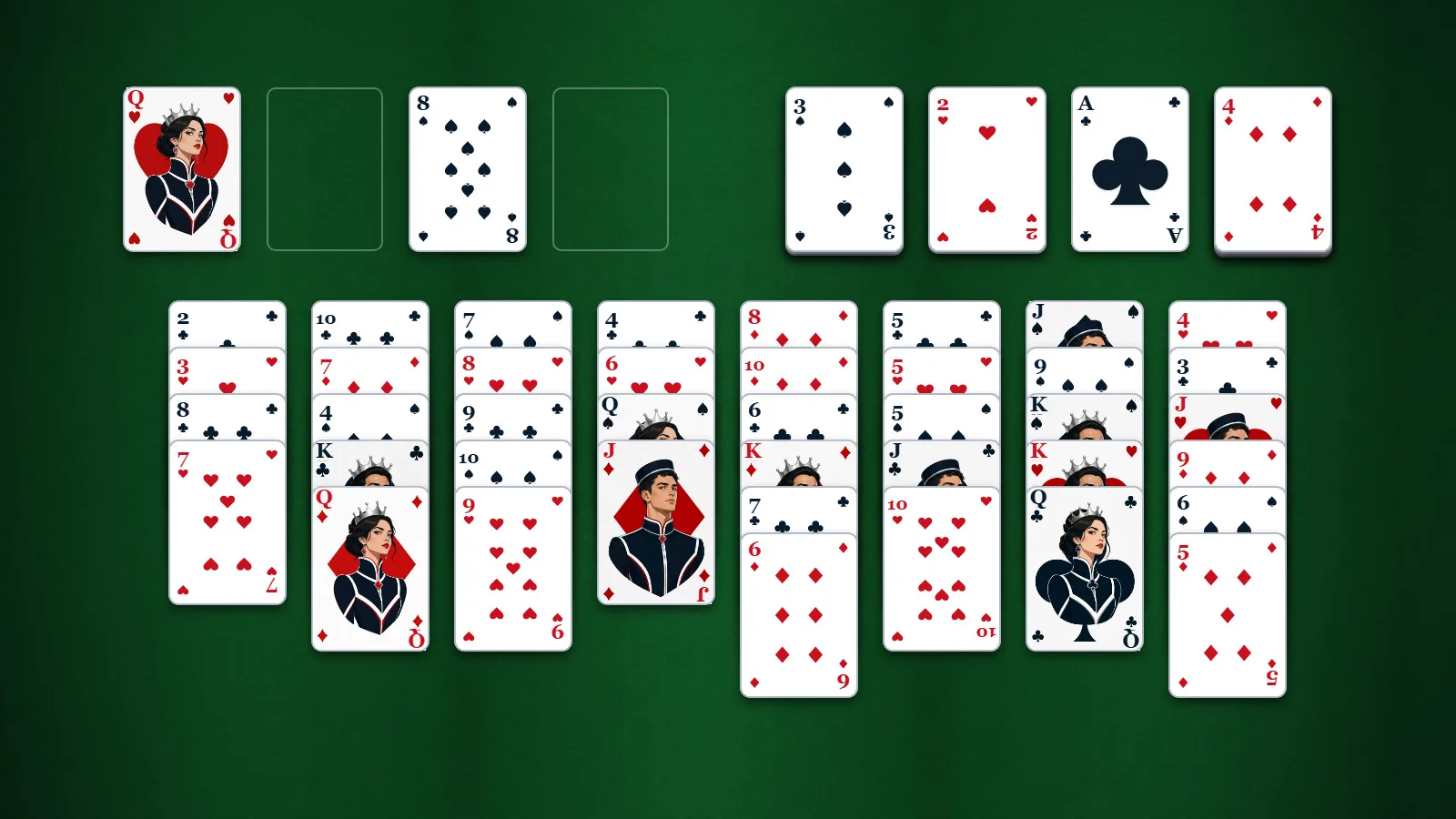
Every card is in view. Use four spare cells to sort each suit from ace to king in a deal that can be solved.
20 min · Variable
Start a solo game. You can review the controls before your first move.
Guides & strategy
Worked examples and ideas to try in your next game.
How to play
Goal
Build each suit from Ace to King. Learn the essentials with a few cards at a time.
- What am I trying to do?
- Move all 52 cards onto four foundations, one per suit, from Ace through King. Normal deals have eight columns with every card face-up and four empty free cells. There is no stock. Lessons use small practice positions so you can focus on one task.
- How do I choose and move cards?
- Click or tap a card, then its destination, or drag it. Select the highest card of an ordered group to move the whole tail. Choose the same source again to deselect. In normal play, double-click tries a foundation first; an exposed column card may instead go to an empty free cell. Tab and arrow keys navigate cards; Enter or Space selects. On a small screen, scroll within the board to reach the other columns.
- How do the suit piles work?
- Each foundation starts with its Ace and accepts the next rank of that same suit, one card at a time. For example, the club 2 follows the club Ace. Foundation cards cannot be selected for return moves; Undo can restore an earlier board when assistance is enabled.
- What can I put in a free cell?
- Each free cell holds one exposed card. You cannot put a group in a cell or add a card to an occupied cell. A held card can return to a legal column, go to its foundation, or transfer to another empty cell. Empty cells help you move groups, so free them again when you can.
- Why can I not move this whole group?
- The whole group must descend by one and alternate red and black; suits do not need to match. Its maximum length is (empty free cells + 1) × 2 for each other empty column. An empty destination does not count. With no spare cells or columns, only one card can move. Clearing two cells raises that limit to three. With one empty cell and one spare empty column, four cards can move. The engine checks capacity for you.
- What can go in an empty column?
- Any rank may enter an empty column. An ordered group can go there too, if there is enough temporary space. The empty destination itself does not increase that move’s capacity; other empty columns do.
- Can I undo a move?
- All solo difficulty levels allow Undo and Redo. Portal exact-deal challenges disable them. Undo returns the prior board, including foundation cards, and reduces the displayed move count; the undo counter still increases. Redo restores the move. Up to 128 boards are retained. Use Ctrl/Command Z for Undo and Ctrl/Command Y for Redo. In a lesson, Restart Step resets the current task.
- What changes with difficulty?
- Relaxed, Standard and Challenge select separate collections of 100 verified solvable deals. Relaxed favors straightforward play, Standard requires more planning, and Challenge involves longer rearrangements and tight free-cell use. Hint, Undo, Redo and legal-destination highlighting remain available at every solo level. Changing difficulty starts a new rated deal. Earlier numbered collections are unrated. A portal exact-deal challenge fixes its deal and difficulty and disables assistance. These difficulty ratings are a pilot for player feedback.
- How does Curio help during a game?
- Ask for a hint to analyze the current position. Curio can highlight a suggested move and explain it without moving cards. Verified winning lines are distinguished from search suggestions. When available, Search deeper explores further; Cancel stops that search. Repeated analysis of the same position is charged once in the hint counter. Tutorial Hint progresses from an explanation to the current source and exact destination.
- When does the game finish automatically?
- You win when all 52 cards are on the foundations. In every normal difficulty, the game can finish automatically once its engine proves a complete foundation-only sequence. It does not automatically send every available Ace or 2 home. Lessons leave the requested moves to you.
- What if I run out of moves?
- A started deal is blocked when no legal card move remains. For example, filling the final free cell can leave every exposed card unable to build or reach a foundation. Relaxed and Standard may recover with Undo. Restart restores the same layout; New Deal chooses another verified layout. Check empty cells and columns before parking another card.
- What does a normal game record?
- There is no point score or time limit. Normal play tracks moves, elapsed time, hints, undos and wins, with best moves and time for each difficulty. Exact-deal challenge results use committed moves and elapsed time. A deal number reproduces the layout in this release. Leaving a lesson discards practice progress and keeps your normal saved game untouched.
Controls & accessibility
Some reading · Best on tablet, computer, TV
KeyboardReady to use
MouseReady to use
TouchWhen available
ControllerGamepad ready
Fullscreen: Supported
Accessibility
Features available in this game
Screen readerNot available
High contrastAvailable
Reduced motionAvailable
CaptionsNot needed for game sounds
- Reviewed for keyboard names, larger text, contrast, motion, and non-audio instructions.
About
Account saving: Cloud unavailable.
- Version
- 0.1.103
- Developer
- YoolVi Play
- Content rating
- Everyone