

All games
Four-Cell Spider Solitaire
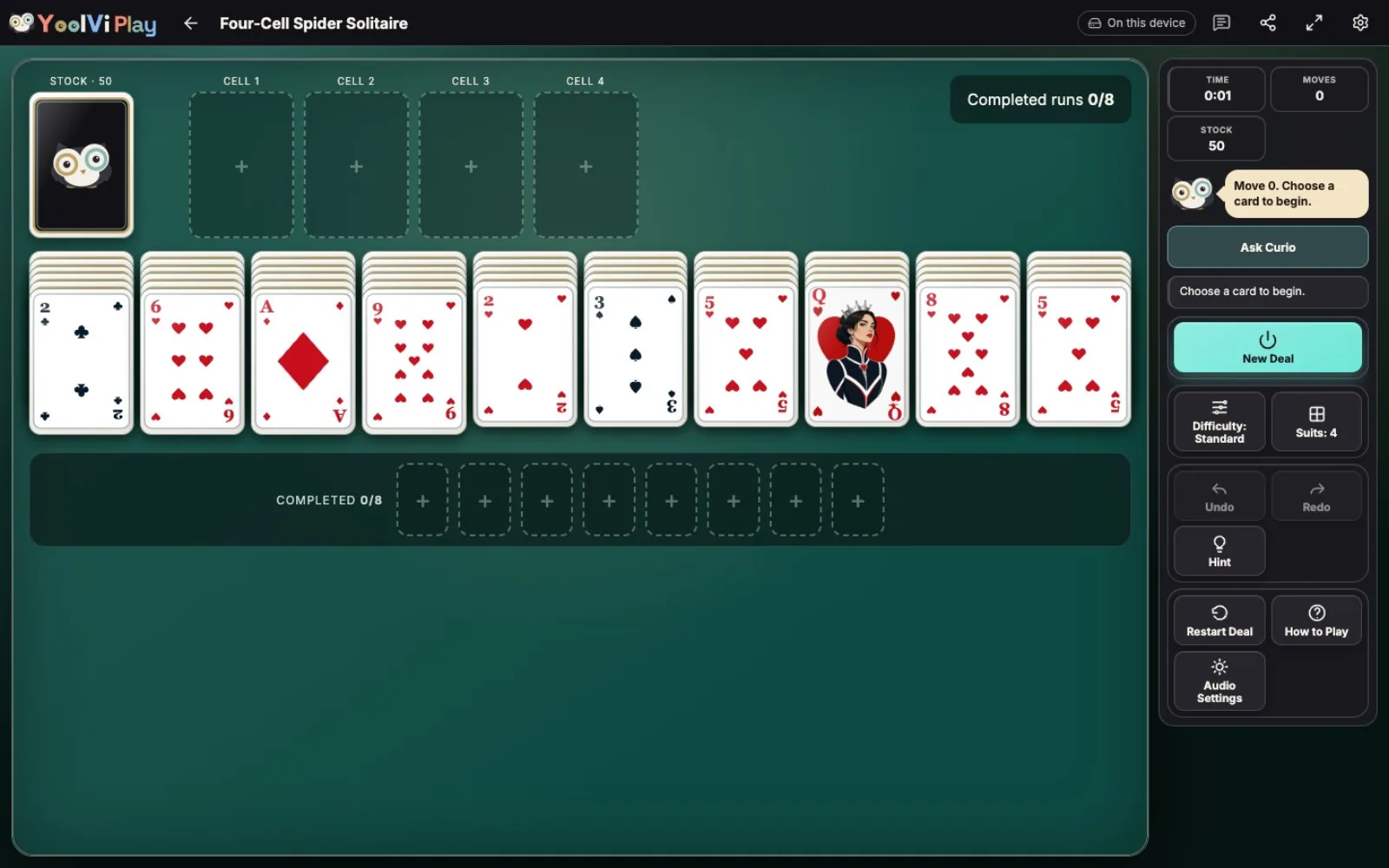
Give Spider a new twist with four spare cells. Use them to make room as you build runs from king to ace.
25 min · Variable
Start a solo game. You can review the controls before your first move.
Guides & strategy
Worked examples and ideas to try in your next game.
How to play
Goal
Clear all eight suited runs from King down to Ace.
- What am I trying to do?
- Clear eight same-suit runs from King down to Ace. Four-Cell Spider always uses all four suits and two copies of each card: 104 cards in ten columns, with four single-card cells. There is no points target or time limit.
- How do I select and move cards?
- Click or tap a face-up card, then its destination. Use Tab and Shift+Tab to reach controls, then Enter or Space to select. Fine-pointer devices also support dragging. Selecting a card alone does not count as a move. Choosing a card inside a column selects that card and every card below it.
- Which card can go on another?
- Build downward one rank: 7 fits on 8, and Ace fits on 2. Color and suit do not restrict a landing. Kings need an empty column; ranks do not wrap from Ace to King. Face-down cards cannot move. When you uncover one, it turns face-up automatically.
- Why can I not move this whole group?
- Every card in a moving group must be face-up, in descending order and of the same suit. A mixed-suit stack must be separated first. A valid suited group can move regardless of the number of empty cells or columns; there is no capacity formula. Cells cannot make a mixed-suit group movable.
- How do the four free cells work?
- Each empty cell accepts one exposed card from the end of a column. A group cannot enter a cell, and an occupied cell cannot accept another card. A held card can return to a column on a card one rank higher, or into an empty column at any rank. There are no direct cell-to-cell moves. Parking a card can uncover and turn over a hidden card.
- What can go in an empty column?
- Any face-up card or valid suited descending group can enter an empty column, regardless of rank. A card can also come from a free cell. Use that space to uncover or rearrange cards, but fill it before dealing from stock.
- When can I deal a new row?
- All ten columns must contain a card before you can deal. Cells may be occupied or empty; they never let you bypass an empty column. Choose the stock to add one face-up card to every column. A deal starts with 54 cards in the columns: six in each of the first four columns and five in each of the other six. The remaining 50 cards form five packets of ten. Each packet counts as one move. There are no redeals.
- When does a run leave the board?
- A face-up King-to-Ace run containing all thirteen ranks of one suit is collected automatically. The move that completes it also includes collecting the run and turning over a newly exposed hidden card. Those automatic effects do not add moves. Collect all eight runs to win.
- What if I get stuck?
- Try rearranging cards, using an empty cell, or filling every column so you can deal. Once stock is empty, the game ends in a loss if no legal column or cell move remains. For example, with every column and cell occupied and no exposed card able to land on the next higher rank, there is no move left. A blocked position with cards still in stock is not automatically declared lost. In modes with assistance you can use Undo; Restart Deal repeats the same deal and New Deal chooses another.
- What changes with difficulty?
- Relaxed, Standard and Challenge select separate pools of at least 100 verified solvable deals per supported suit count. Relaxed favors more straightforward routes, Standard calls for more planning, and Challenge favors more demanding choices or rearrangements. Hint, Undo and Redo remain available at every solo level. Changing difficulty starts a new rated deal; older saved deals are unrated. Exact portal challenges keep their fixed deal and assistance restrictions. Ratings are a pilot for player feedback.
- How do Hint, Undo and Redo help?
- In assisted modes, Hint suggests a legal move without moving the cards for you. Undo reverses a committed action and Redo restores it. A cell transfer counts as one move, just like moving a suited group or dealing a stock packet. Tutorial practice has its own Hint and Restart Step and leaves your normal saved game unchanged.
- What does the game record?
- Normal play records elapsed time, committed moves, hints, undos, the greatest number of cells occupied at once and the result. There is no points target or time limit. Tutorial practice does not update these records or submit challenge results.
Controls & accessibility
Some reading · Best on tablet, computer, TV, phone
KeyboardReady to use
MouseReady to use
TouchWhen available
ControllerGamepad ready
Fullscreen: Supported
Accessibility
Features available in this game
Screen readerNot available
High contrastAvailable
Reduced motionAvailable
CaptionsNot needed for game sounds
- Reviewed for keyboard names, larger text, contrast, motion, and non-audio instructions.
About
Account saving: Cloud unavailable.
- Version
- 0.1.44
- Developer
- YoolVi Play
- Content rating
- Everyone