

All games
Crosswords
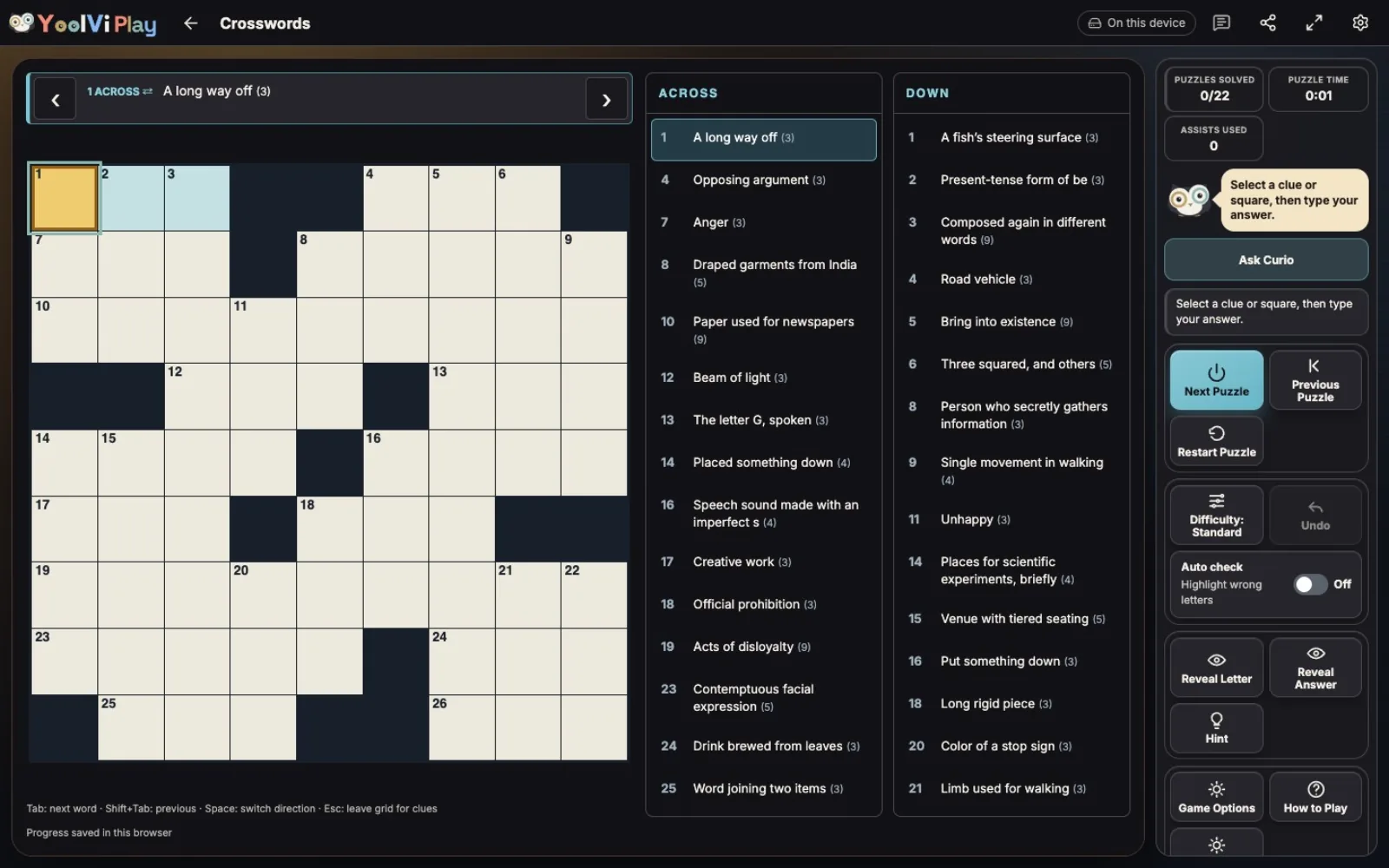
Play 22 general-knowledge crosswords with varied grids from 5×5 to 15×15. Difficulty selects your puzzle; progress saves automatically.
25 min · Variable
Start a solo game. You can review the controls before your first move.
How to play
Goal
Fill every white square with the correct letters.
- How do I solve the grid?
- Fill white squares with answers to their numbered Across and Down clues. Across runs left to right; Down runs top to bottom. Crossings share one letter. Black squares separate answers. The five-step lesson uses a dedicated practice crossword, outside the 22-puzzle collection. Normal play starts at Standard difficulty.
- How do I select and type?
- Select a clue or white square and type. Touch screens provide a typing field. Tap the selected square again, use the active-clue button, or press Space to switch direction. Letters become A–Z capitals; spaces, digits and punctuation are ignored. Arrows move between white squares, skipping blocks; horizontal movement can wrap to the next row. Tab and Shift+Tab move through clues in the same direction. Escape focuses the clue list.
- Why does the cursor move?
- Typing skips filled squares by default. Finishing a word advances to the next clue even if the answer is wrong. Game Options can turn off skip-filled, always advance or stay within the word, and skip filled words. Filled does not mean correct.
- How do I fix or undo a letter?
- Type over a selected letter, or use Delete to clear it. Backspace clears the selected square; from an empty square it moves backward within the word and clears there. Undo or Ctrl/Cmd+Z restores the previous grid and cursor, up to 50 edits. There is no Redo. Undo works in Challenge before completion.
- What help is available?
- In Easy and Standard, Check Entry marks incorrect letters in the selected answer without filling them. Rephrase Clue supplies an authored alternate wording without filling a letter. Reveal Letter fills the selected square; Reveal Answer fills the selected entry and its crossings. Revealed squares are marked. Each check, rephrase, letter reveal or whole-answer reveal counts as one assist. Curio’s tutorial hints are separate.
- What changes in Easy?
- Easy uses 5×5 and 7×7 puzzles and marks incorrect letters immediately. Checking, rephrasing and reveals remain available. Completion still requires every answer to be correct.
- What changes in Standard?
- Standard uses 9×9 and 11×11 puzzles. Incorrect letters are marked only when you check their entry. Hints and reveals remain available. Switching difficulty preserves each puzzle’s letters, timer and assist count.
- What changes in Challenge?
- Challenge uses 13×13 and 15×15 puzzles. Checking, rephrasing and reveals are disabled, and per-answer correctness ticks stay hidden until the whole grid is solved. Undo and navigation still work. The engine checks every answer at completion. Scroll inside the board when a large grid needs more space.
- When is a puzzle complete?
- Every answer must be correct. A filled but incorrect grid stays open for correction; mistakes and time do not cause a loss. Solved grids stop accepting edits and Undo. Restart Puzzle clears only that puzzle’s letters, time, assists and completion.
- How do I play another puzzle?
- There are 22 regular puzzles. Next Puzzle stays at the chosen difficulty and prefers unfinished puzzles. Previous Puzzle cycles backward. Each puzzle keeps separate progress. Erase all progress resets the collection; Restart Puzzle affects only the current puzzle. Start playing at the end of this tutorial starts a regular puzzle, never the practice crossword.
- What is recorded?
- Normal play records completed puzzles, active solve time and assists. Time pauses during dialogs, after solving and while the page is hidden. Completion uses the number of entries as the result score. There are no mistake penalty points or bonuses. Tutorial practice does not read or write normal progress or results.
Controls & accessibility
Reading is part of play · Best on tablet, computer, TV, phone
KeyboardReady to use
MouseReady to use
TouchWhen available
ControllerGamepad ready
Fullscreen: Supported
Accessibility
Features available in this game
Screen readerNot available
High contrastAvailable
Reduced motionAvailable
CaptionsNot needed for game sounds
- Reviewed for keyboard names, larger text, contrast, motion, and non-audio instructions.
About
Play starts directly in a crossword. Easy mixes 5×5 and 7×7 grids, Standard mixes 9×9 and 11×11, and Challenge mixes 13×13 and 15×15.
Account saving: Cloud unavailable.
- Version
- 0.6.33
- Developer
- YoolVi Play
- Content rating
- Everyone